POS for Android
For Android tablets and phones used at the counter or on the floor.
Version 0.1.0.18484.6 MB23 Aug 2026
Direct APK installation may require permission to install apps from your browser.
Download MenuSnap POS for Android or macOS, or open it directly in a browser. Activate this terminal once, then staff can sign in and start taking orders.
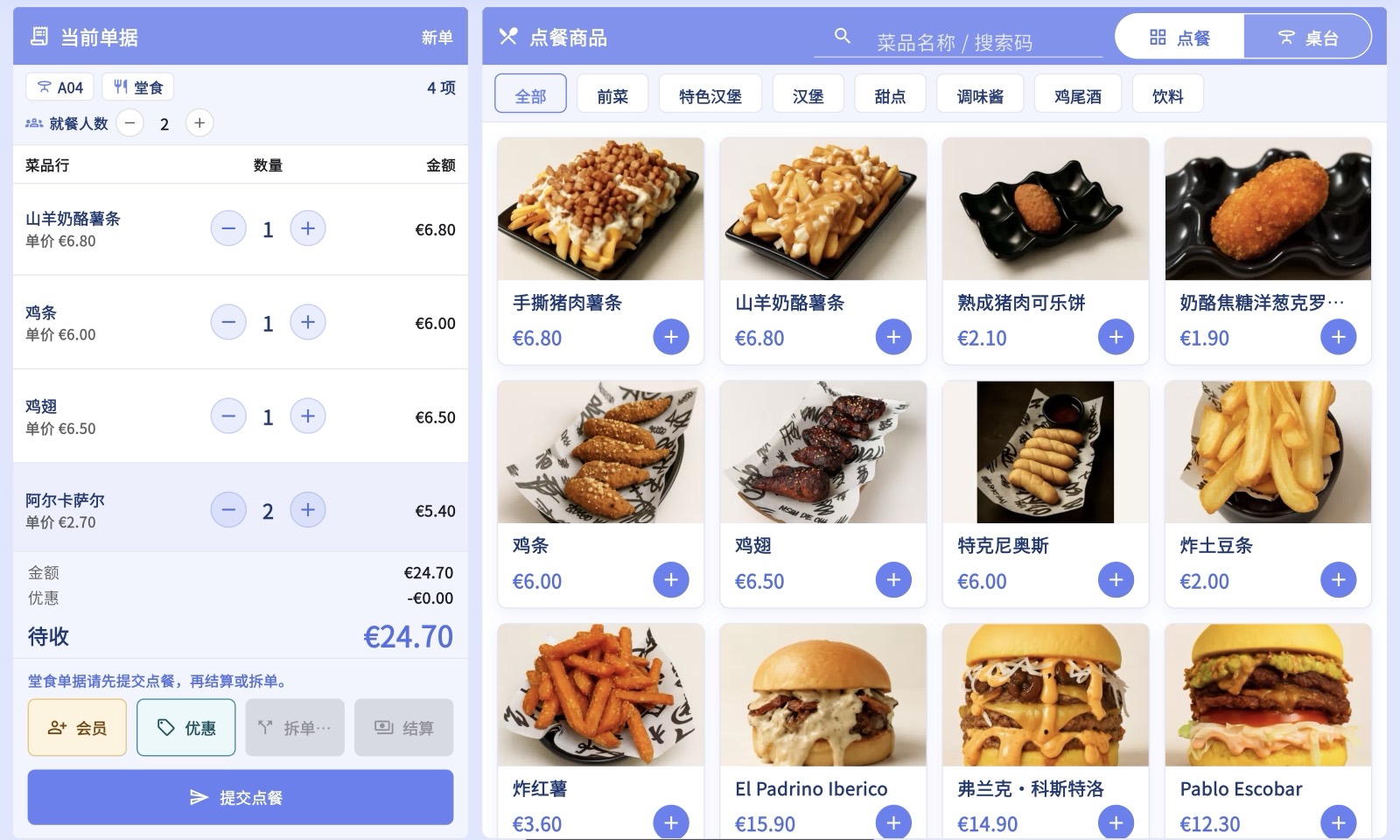
Use the installed app for a dedicated till, or POS Web when you want to start immediately without installing anything.
For Android tablets and phones used at the counter or on the floor.
Direct APK installation may require permission to install apps from your browser.
For a Mac used as the main register or a back-office checkout station.
Unzip the download, move MenuSnap POS to Applications and sign in.
Open POS in a modern browser on Windows, Linux, iPad or any shared computer.
Best when you need quick access or cannot install software on the device.
Checking the latest release information…
A manager activates each new device once. Staff then use their staff ID and PIN or account password for daily sign-in.
Install MenuSnap POS only from this download centre or an official MenuSnap store listing. Verify the SHA256 value when your deployment policy requires it.